> ## Documentation Index
> Fetch the complete documentation index at: https://nocturneidle.mintlify.site/llms.txt
> Use this file to discover all available pages before exploring further.
# Base Roles
> Base Roles are the actual position roles in a tree and this is what the staff members actual
Once you have created a tree, you need to populate it with Base Roles. A Base Role represents the actual role of a staff member (e.g., Trainee, Moderator, Administrator). Nocturne uses the hierarchy of these base roles to determine which role the user will get when they promote.
***
Adding a Base Role
To add a new base role to your tree, use the role add command.
User: Manage Server
```text Command theme={null}
/tree role add [position]
```
```text Example theme={null}
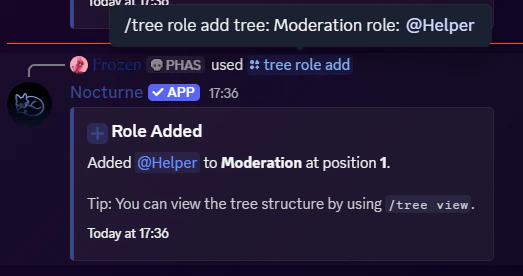
/tree role add tree:Moderation role:@Helper
```
 ***
***
Understanding the `position` Parameter
The `position` parameter dictates where the role sits in the chain of command.
* **1 is the lowest position** (the root/bottom of the ladder).
* As the position number increases (2, 3, 4...), the role becomes higher in authority.
* **If left blank,** Nocturne will automatically assign the role to the highest available position in that tree.
```text Command theme={null}
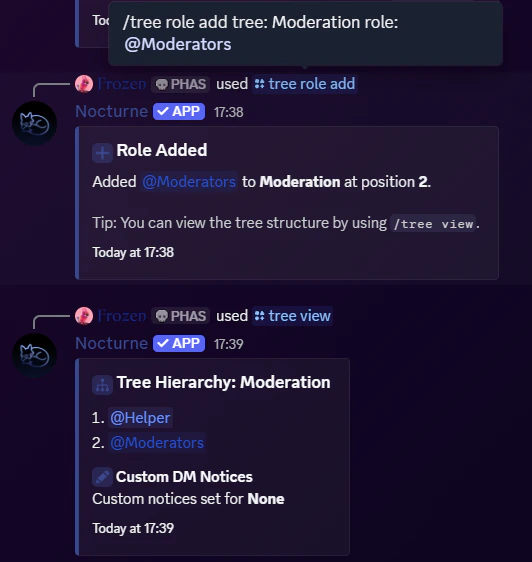
/tree role add tree:Moderation role:@Moderators
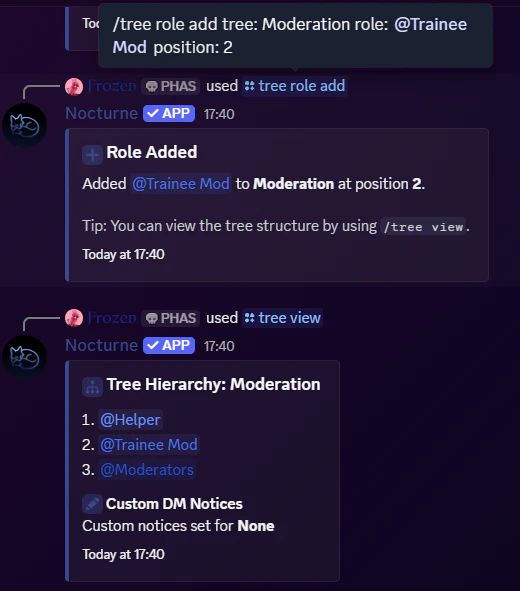
/tree role add tree:Moderation role:@Trainee Mod position:2
```
 **In the above example:**
* `@Helper` was already added. We add `@Moderators` role to the top now, which will be position 2.
* Let's say we forgot to add the `@Trainee Mod` role, so we use the `position` parameter to add it in between `@Helper` and `@Moderators` roles.
***
**In the above example:**
* `@Helper` was already added. We add `@Moderators` role to the top now, which will be position 2.
* Let's say we forgot to add the `@Trainee Mod` role, so we use the `position` parameter to add it in between `@Helper` and `@Moderators` roles.
***
Removing a Base Role
If you want to remove a role from the hierarchy, you can delete the base role from the tree.
User: Manage Server
```text Command theme={null}
/tree role remove
```
```text Example theme={null}
/tree role remove tree:Moderation role:@Admins
```
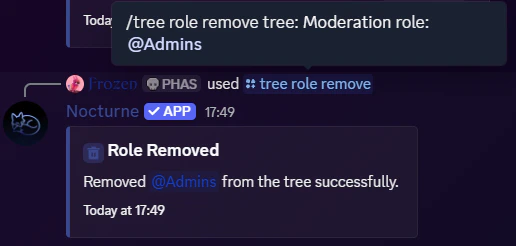 Removing a base role removes its place in the hierarchy. If you have members currently holding this role, Nocturne will no longer recognise them as being part of this tree's staff ladder until they are reassigned to a valid base role. \
*(Note: This does **not** delete the actual role from your Discord server; it simply unlinks it from the Nocturne tree).*
***
Removing a base role removes its place in the hierarchy. If you have members currently holding this role, Nocturne will no longer recognise them as being part of this tree's staff ladder until they are reassigned to a valid base role. \
*(Note: This does **not** delete the actual role from your Discord server; it simply unlinks it from the Nocturne tree).*
***
Reordering a Base Role
If you want to change the position of a role which is already present in a tree, along with making sure you move its linked roles too, you can use the reorder command.
User: Manage Server
```text Command theme={null}
/tree role reorder
```
```text Example theme={null}
/tree role reorder tree:Moderation role:@Helper position:1
```
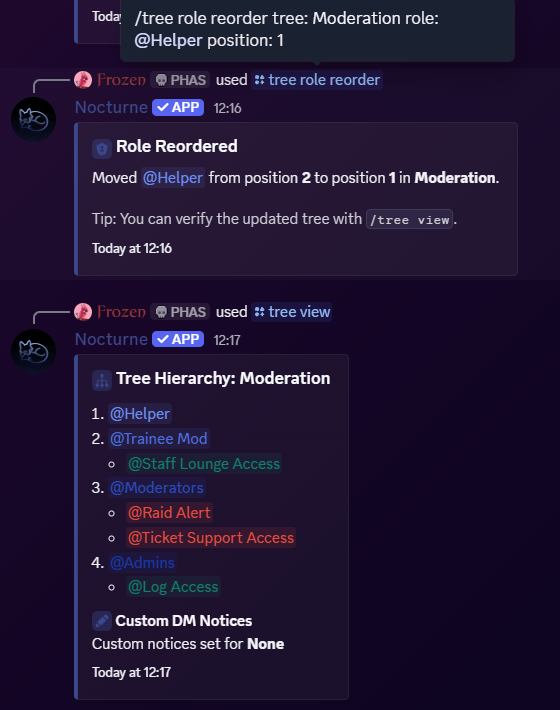 **In the above example:**
* `@Helper` role, which was already in the tree in position 2, will be moved to position 1.
* The linked roles, if any, associated with that role were also moved with it.
***
**In the above example:**
* `@Helper` role, which was already in the tree in position 2, will be moved to position 1.
* The linked roles, if any, associated with that role were also moved with it.
***
Replacing a Base Role
If you want to just change a specific base role in a tree, while maintaining its position as well as linked roles, you can try the replace command.
User: Manage Server
```text Command theme={null}
/tree role replace
```
```text Example theme={null}
/tree role replace tree:Moderation role:@Head Mod new-role:@Admins
```
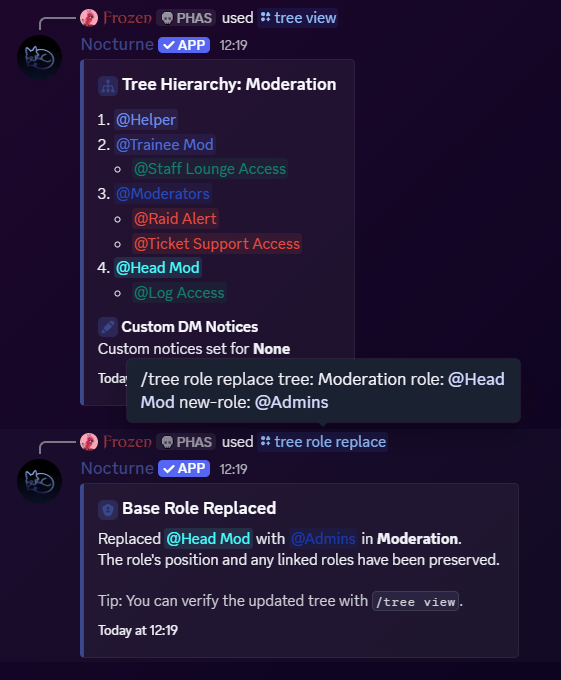 **In the above example:**
* The `@Head Mod` role is replaced by the `@Admins` role.
* The position and the linked roles are preserved.
**In the above example:**
* The `@Head Mod` role is replaced by the `@Admins` role.
* The position and the linked roles are preserved.