> ## Documentation Index
> Fetch the complete documentation index at: https://nocturneidle.mintlify.site/llms.txt
> Use this file to discover all available pages before exploring further.
# Variables Guide
> A full reference of the variables you can use when writing custom DM Notices.
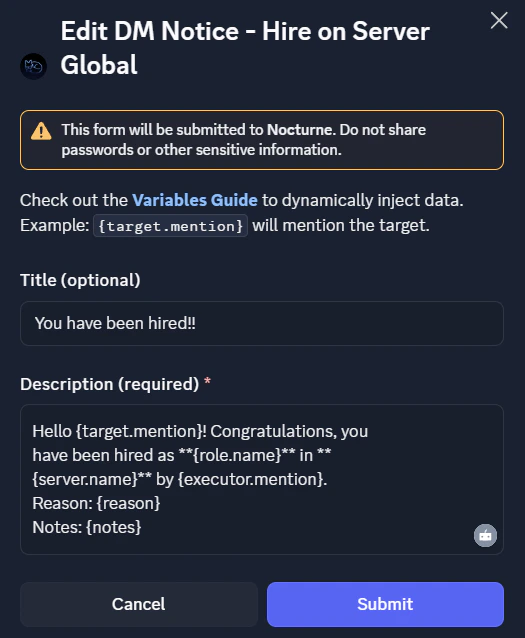
When configuring custom DM Notices, you can use a select group of variables to inject dynamic data into the text. This allows you to format the message to your liking. For example, instead of typing a generic "You were promoted," you can use `{target.mention}` to automatically ping the target.
Below is the complete list of available variables, categorised by what they represent.
Target Variables
These variables pull information about the user who is receiving the staff action (the person being hired, fired, promoted, or demoted).
| Variable | Description | Example Output |
| :--------------------- | :-------------------------------------------- | :------------------------------- |
| `{target.mention}` | Mentions the target user directly. | `<@1051468172693360670>` |
| `{target.displayName}` | The target's display name. | `Joy ^•^` |
| `{target.username}` | The target's Discord username. | `snozlight` |
| `{target.id}` | The target's unique Discord User ID. | `1051468172693360670` |
| `{target.avatar}` | A direct URL to the target's profile picture. | `https://cdn.discordapp.com/...` |
Executor Variables
These variables pull information about the user who actually ran the `/staff` command.
| Variable | Description | Example Output |
| :----------------------- | :--------------------------------------------- | :------------------------------- |
| `{executor.mention}` | Mentions the manager. | `<@728846598330646662>` |
| `{executor.displayName}` | The manager's display name. | `Frozen` |
| `{executor.username}` | The manager's Discord username. | `frozen4917` |
| `{executor.id}` | The manager's unique Discord User ID. | `728846598330646662` |
| `{executor.avatar}` | A direct URL to the manager's profile picture. | `https://cdn.discordapp.com/...` |
Server Variables
Information regarding the Discord server where the action took place.
| Variable | Description | Example Output |
| :-------------- | :---------------------------------------- | :------------------------------- |
| `{server.name}` | The exact name of your Discord server. | `Nocturne Support` |
| `{server.id}` | Your server's unique Guild ID. | `1470773005587190029` |
| `{server.icon}` | A direct URL to your server's icon image. | `https://cdn.discordapp.com/...` |
Context & Action Variables
These variables represent the specific details of the staff action being executed, such as the roles involved and the reasons provided.
| Variable | Description | Example Output |
| :--------------- | :--------------------------------------------------------------------------------------------------------------- | :----------------------------------------- |
| `{action}` | The action executed (always past tense and lowercase). | `hired` / `fired` / `promoted` / `demoted` |
| `{tree.name}` | The name of the hierarchy tree the action occurred in. | `Moderation` |
| `{role.name}` | The name of the new base role acquired (or stripped away if fired). | `Moderator` |
| `{oldRole.name}` | The name of the previous base role. *Note: Returns*`None`*for Hire, and is identical to*`{role.name}`*for Fire.* | `Trainee Mod` |
| `{reason}` | The text provided in the `reason` field of the command. | `Breaking staff reporting policy!` |
| `{notes}` | The text provided in the optional `notes` field. | `Remember to check the guidebook.` |
All variables are case-sensitive, i.e. `{target.ID}` and `{oldrole.name}` will not work, but `{target.id}` and `{oldRole.name}` will.
***
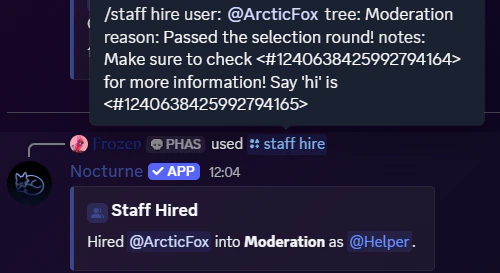
Real-World Example
Not sure how to put this together? Here is an example of what a message might look like when it is configured and how it will be seen by the user.