
Adding a Base Role
To add a new base role to your tree, use the role add command. User: Manage Server- Command
- Visual Output
Command
Example
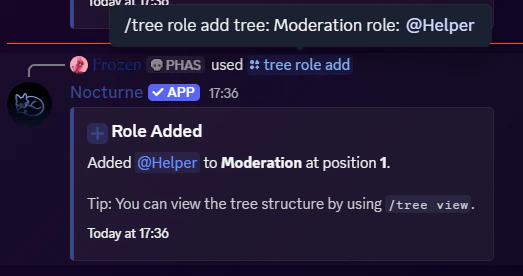
Understanding the position Parameter
The position parameter dictates where the role sits in the chain of command.
- 1 is the lowest position (the root/bottom of the ladder).
- As the position number increases (2, 3, 4…), the role becomes higher in authority.
- If left blank, Nocturne will automatically assign the role to the highest available position in that tree.
- Text Example
- Visual Output
Command
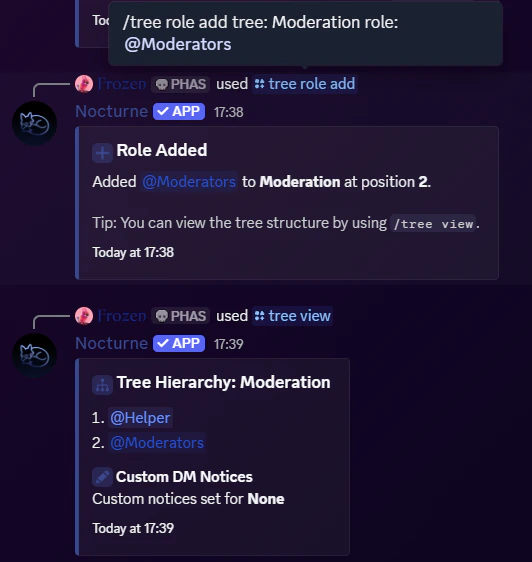
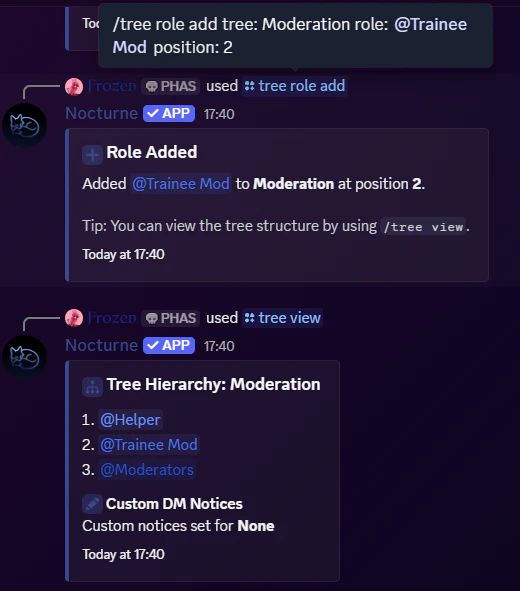
@Helperwas already added. We add@Moderatorsrole to the top now, which will be position 2.- Let’s say we forgot to add the
@Trainee Modrole, so we use thepositionparameter to add it in between@Helperand@Moderatorsroles.
Removing a Base Role
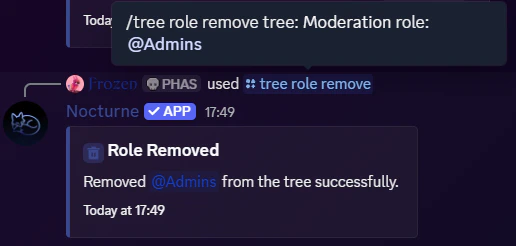
If you want to remove a role from the hierarchy, you can delete the base role from the tree. User: Manage Server- Command
- Visual Output
Command
Example
Reordering a Base Role
If you want to change the position of a role which is already present in a tree, along with making sure you move its linked roles too, you can use the reorder command. User: Manage Server- Command
- Visual Output
Command
Example
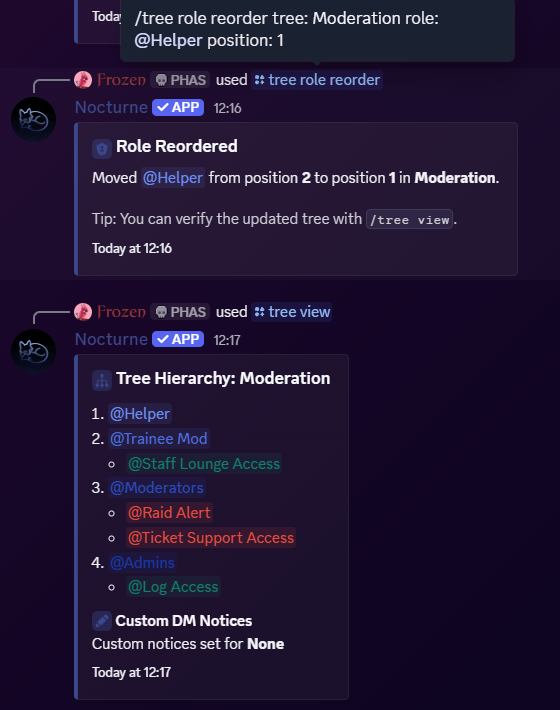
@Helperrole, which was already in the tree in position 2, will be moved to position 1.- The linked roles, if any, associated with that role were also moved with it.
Replacing a Base Role
If you want to just change a specific base role in a tree, while maintaining its position as well as linked roles, you can try the replace command. User: Manage Server- Command
- Visual Output
Command
Example
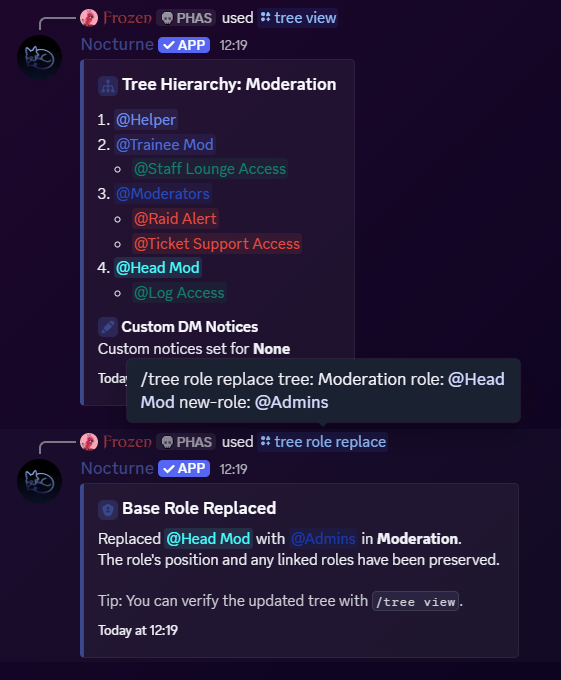
- The
@Head Modrole is replaced by the@Adminsrole. - The position and the linked roles are preserved.