Setting the Log Channel
To enable audit logging, you simply need to point Nocturne to the text channel where you want the logs to be sent. You can also use this command to change the logging channel itself and Nocturne will handle the deletion of the previous webhook. User: Manage Server Bot: Manage Webhooks- Command
- Visual Output
Command
Example
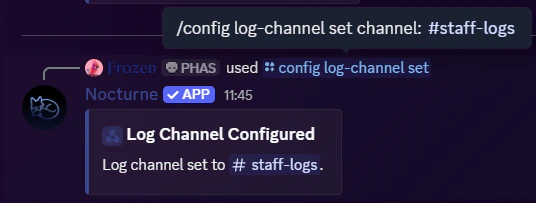
Nocturne requires the Manage Webhooks permission for this. The webhook it creates will solely be used for logging and for no other reason.
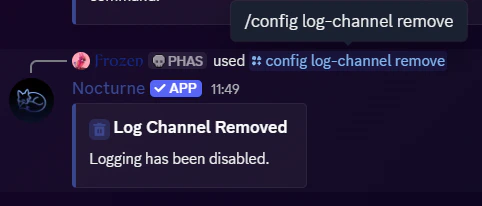
Removing the Log Channel
If you want to stop Nocturne from logging staff actions, or if you are restructuring your server and need to delete the current log channel, you can easily remove the configuration. User: Manage Server- Command
- Visual Output
Command