@Staff role that Nocturne keeps accurate automatically.
How It Works
Once an Umbrella Role is configured, Nocturne folds it into the role math for every staff action automatically.
Because the Umbrella Role’s job is to mark “is this person staff anywhere”, Nocturne checks the member’s roles across every tree in the server, not just the one the action was run against, before deciding to remove it.
Umbrella Role changes are intentionally not included in the staff action log embed sent to your log channel. Only the primary Base Role (and any Linked Role) changes for the relevant tree are logged.
Setting an Umbrella Role
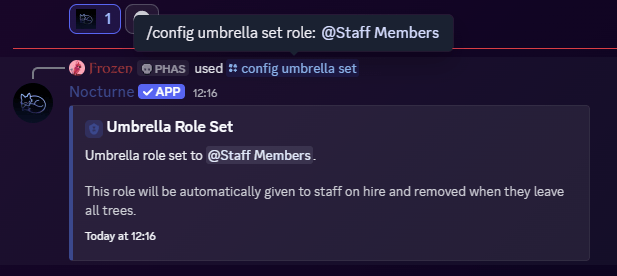
To set up an umbrella role, run the following command: User: Manage Server- Command
- Visual Output
Command
Example
Removing the Umbrella Role
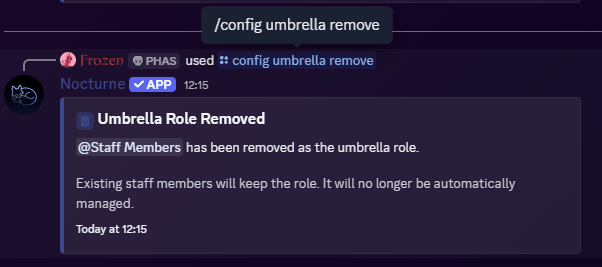
If you no longer need a server-wide staff role, you can remove the configuration. Nocturne will stop managing it going forward. User: Manage Server- Command
- Visual Output
Command